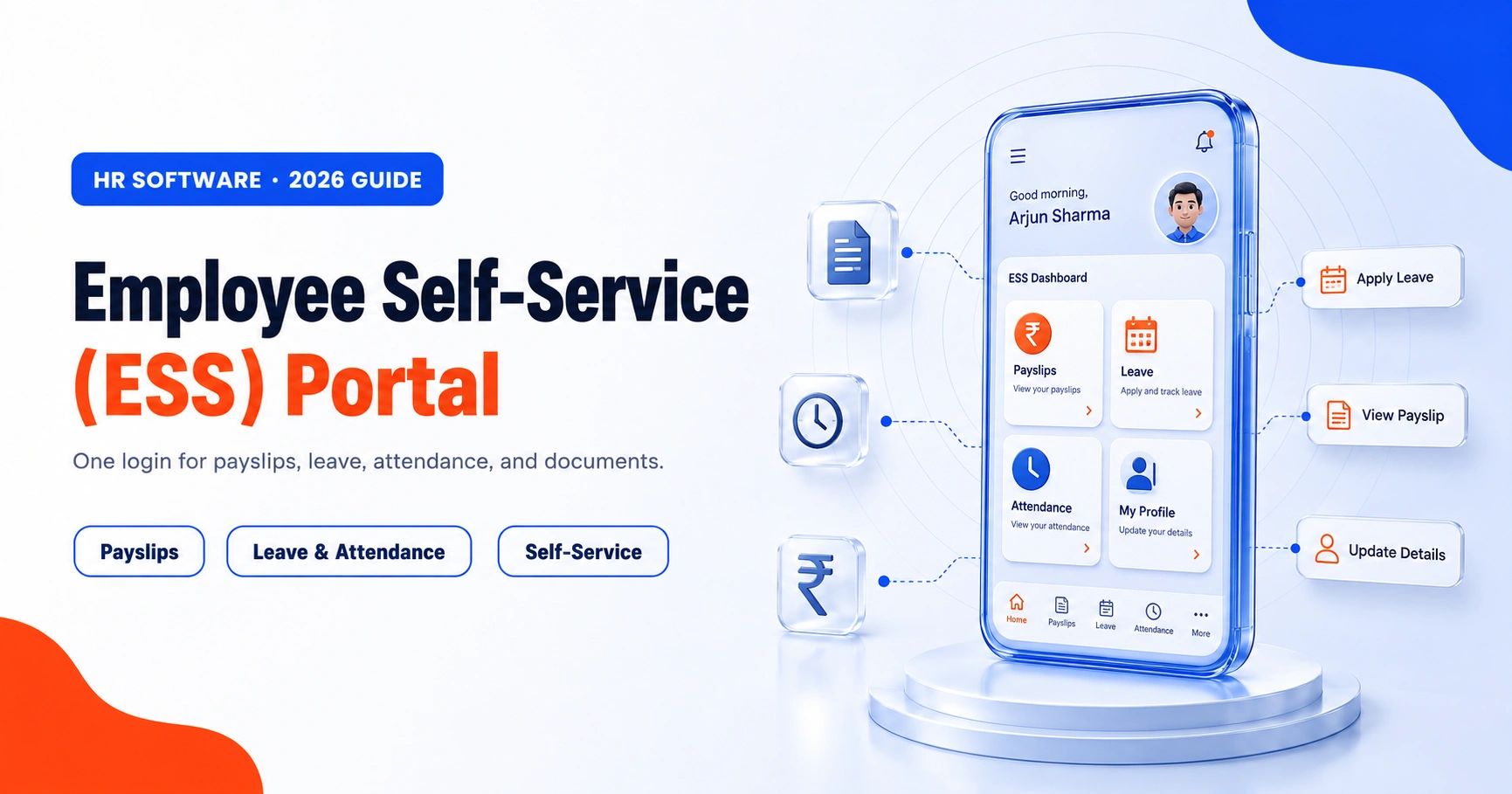
An employee self-service (ESS) portal is a secure online platform where employees handle their own routine HR tasks: viewing payslips, applying for leave, marking attendance, updating personal details, submitting tax declarations, and downloading documents like Form 16. It removes the need to email HR for every small request and keeps employee data accurate and up to date.
In most Indian companies, HR spends hours every week on the same questions. How much leave do I have left? Where is my payslip? Can I update my bank account? An ESS portal answers all of these without HR lifting a finger. This guide explains what an ESS portal is, what it does, how it stays secure, and why it matters for a growing business.
Key Takeaways
- An ESS portal lets employees handle their own HR tasks such as leave, attendance, payslips, tax declarations, and personal details.
- It cuts HR workload and improves data accuracy, since employees update their own records instead of emailing HR.
- For Indian teams it holds the statutory paperwork: payslips, Form 16, PF details, and Section 80C or HRA tax declarations.
- Good portals protect data with role-based access, multi-factor authentication, encryption, and audit trails.
- ESS pairs with MSS (manager self-service) for approvals and team views, and works on mobile for hybrid and field staff.
- ESS delivers the most value as part of a connected HRMS, not a standalone tool.
What is an employee self-service portal?
An ESS portal is the employee-facing part of HR software and one of the everyday functions of human resource management. It gives every employee a personal login to view and manage their own information, instead of routing everything through the HR team. Think of it as an app for the workforce: leave, attendance, salary, and documents, all in one place, available from a phone or a browser.
ESS is usually paired with MSS (manager self-service), which gives managers their own view to approve leave, review attendance, and see their team's data.
What can employees do on an ESS portal?
A good ESS portal covers the day-to-day tasks employees care about most.
- Apply for and track leave. Check leave balances, apply, and see approval status without emailing HR. This connects directly to leave management.
- Mark and view attendance. Clock in and out, view timesheets, and request regularisation. It feeds straight into attendance tracking.
- Download payslips and tax forms. Access monthly payslips, Form 16, and salary breakups any time, without asking payroll.
- Submit investment and tax declarations. Enter Section 80C proofs, HRA, and other IT declarations online for accurate TDS.
- Update personal information. Change address, phone, bank account, or emergency contact, subject to HR approval.
- Raise reimbursements and requests. Submit expense claims, ID card requests, or document requests and track their status.
- Access documents and policies. View the holiday calendar, HR policies, letters, and company announcements in one place.
The problems an ESS portal solves
The value is clearest when you look at what breaks without one.
- HR becomes a bottleneck, answering the same leave and payslip questions all day.
- Payslips, Form 16, and letters get shared by email, so staff wait and HR repeats work.
- Personal details go stale, which causes payroll errors and failed bank transfers.
- Leave and attendance sit in spreadsheets, so balances get disputed and are hard to audit.
- There is no single, current record, so compliance and reporting take longer than they should.
How an ESS portal works
The flow is simple and stays the same for most tasks.
- The employee logs in securely from a browser or a mobile app.
- They view their data or raise a request, such as leave, a reimbursement, or a detail change.
- The request routes to the right approver, usually their manager or HR.
- Once approved, the data updates everywhere at once, including payroll.
- The employee sees the status, and the change is logged for audit.
Benefits of an employee self-service portal
A good ESS portal can cut routine HR queries sharply, a reduction commonly cited at 40 to 70 percent, because employees answer their own questions. The gains show up on both sides.
| Benefit | What it means |
|---|---|
| Less HR workload | Routine queries drop sharply, so HR focuses on real work |
| Accurate data | Employees update their own details, reducing errors |
| Faster processes | Leave, claims, and approvals move without paperwork |
| Transparency | Staff see balances, payslips, and status any time |
| Better engagement | Employees feel in control of their own information |
| Anywhere access | Works on mobile, useful for hybrid and field teams |
Data security in an ESS portal
An ESS portal holds sensitive data: salary, bank account, PAN, and personal records. A good portal protects it with several layers.
- Role-based access, so each employee sees only their own data and managers see only their team.
- Multi-factor authentication (MFA), which adds a second check beyond the password at login.
- Encryption, so data stays protected both in transit and at rest.
- Audit trails, which log who changed what and when, useful for compliance and disputes.
- Approval controls, so sensitive changes like bank details need HR sign-off before they take effect.
ESS in the Indian context
For Indian employees, an ESS portal is where the statutory paperwork lives. Payslips, Form 16, PF details, and income-tax declarations are all things staff need often and HR would otherwise handle by hand. Employees can enter Section 80C and HRA proofs for correct TDS, check loss-of-pay days against their attendance, and pull documents whenever they need them. Letting them self-serve keeps payroll and payroll processing clean, since declarations and details come straight from the employee, and it helps HR stay ready for state-wise statutory compliance like professional tax and PF returns.
How different industries use ESS
The core is the same, but the priority shifts by sector.
- IT and services: payslips, tax declarations, and remote leave and attendance.
- Manufacturing: shift rosters, overtime, and regularisation for the shop floor.
- Retail and hospitality: multi-location rosters and quick leave approvals.
- Logistics and field teams: mobile attendance and reimbursements on the go.
- Healthcare: round-the-clock shift visibility and leave without disrupting rosters.
ESS vs the old email-and-spreadsheet way
| Task | Without ESS | With ESS |
|---|---|---|
| Payslip | Email HR and wait for a reply | Download any time |
| Leave | Email or a paper form | Apply and track online |
| Detail update | HR edits the master sheet | Employee updates, HR approves |
| Attendance | Manual registers | Self-view and regularise |
| Data accuracy | Errors from re-keying | Single source, audit-logged |
What to look for in an ESS portal
- Mobile access, so field and hybrid staff can use it anywhere
- Leave, attendance, and payroll all connected in one system
- Payslip, Form 16, and tax declaration support built for India
- Role-based access, MFA, and audit trails for security
- Simple approval workflows for managers
- A clean interface that non-technical staff can use without training
ESS is one part of a full HRMS
An ESS portal works best when it is not a standalone tool but the employee window into a complete HRMS platform. When self-service sits on top of connected payroll, leave, and attendance, a single employee action updates everything at once. Our own employee self-service portal is built exactly this way, so employees get one place for every HR task.
Frequently asked questions
What is an employee self-service (ESS) portal?
An ESS portal is a secure online platform where employees manage their own HR tasks, such as viewing payslips, applying for leave, marking attendance, and updating personal details. It reduces routine HR queries and keeps employee data accurate.
What is the difference between ESS and MSS?
ESS (employee self-service) is for employees to manage their own information. MSS (manager self-service) gives managers tools to approve requests and view their team's data. Most HR systems offer both, working together.
What can employees do on an ESS portal?
Employees can apply for leave, mark attendance, download payslips and Form 16, submit tax declarations, update personal and bank details, raise reimbursements, and access company policies and the holiday calendar, all from one login.
Is an employee self-service portal secure?
Yes, when it uses role-based access, multi-factor authentication, encryption, and audit trails. Each employee sees only their own data, sensitive changes like bank details need approval, and every change is logged. Choose a portal that follows these practices.
How long does it take to roll out an ESS portal?
For a small or mid-size company, an ESS portal that is part of an existing HRMS can go live in a few days to a few weeks. Most of the time goes into importing employee data, setting approval rules, and a short round of employee training.
Is an ESS portal only for large companies?
No. Small and mid-size companies often benefit the most, because it frees a lean HR team from repetitive queries. Any business with more than a handful of employees can use an ESS portal to save time and reduce errors.